Add New Contest
This page will walk you through adding a new contest to the site.
Step 1 — Create a Form in Gravity Forms
- Log in to your WordPress admin panel.
- Navigate to "Forms" in the left-hand menu and click on "Add New" (or duplicate an existing form).
- Give your form a name and choose a template that suits your contest needs.
- Customize the form by adding fields relevant to your contest, such as name, email, address, etc.
- Configure any additional settings, such as notifications or confirmation messages, based on your requirements.
- Save the form.
Step 2 — Create a New Blog Post about the Contest
- In the WordPress admin panel, go to "Posts" and click on "Add New".
- Enter a catchy and descriptive title for your blog post related to the contest.
- Write a detailed description of the contest, including rules, prizes, and any other relevant information.
- Format the content as per your website's design guidelines using headings, paragraphs, bullet points, etc.
- Add any media elements, such as images or videos, to enhance the post if desired.
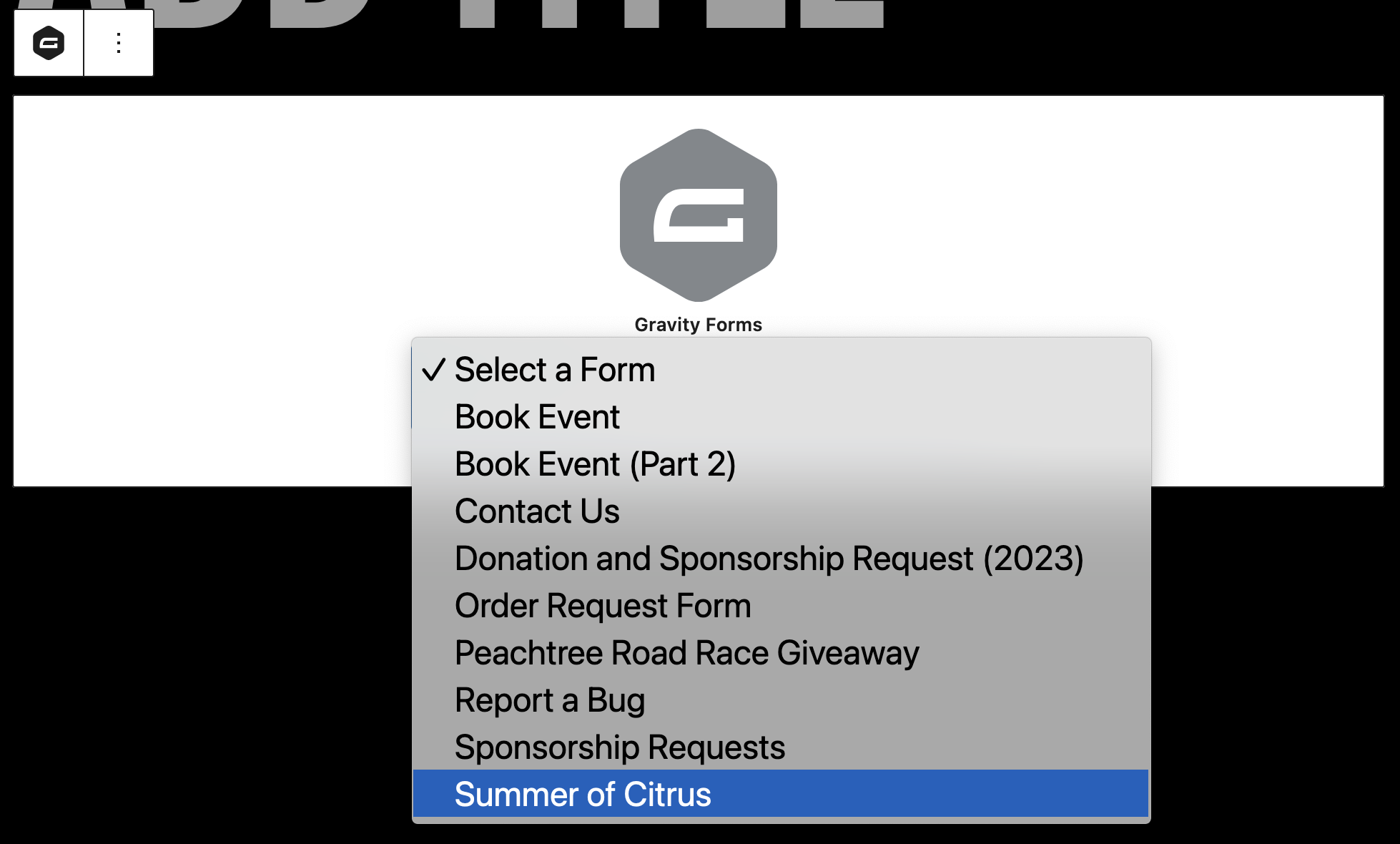
- Add the Gravity Forms block to the post and select the form you created in Step 1.
- Categorize the post as "Contests" and add any relevant tags.
- Proofread the content for any errors.
- Save the blog post as a draft or publish it immediately.
Here's what adding a Gravity Forms block looks like: